
Download Sony PC Companion – Xperia, PC Companion, update, backup, sync, Sony, mobile app, utility, tool, Android
Overview
Sony PC Companion is a dedicated utility designed for Sony Xperia smartphone users seeking reliable, centralized management of their Android devices through a Windows PC. The application serves as a bridge between the Xperia smartphone and the desktop environment, streamlining essential maintenance tasks such as software updates, data synchronization, and backup operations. Its primary purpose is to simplify device management for users who prefer desktop-level control over their mobile experience. By enabling seamless interaction between the phone and PC, Sony PC Companion helps users maintain optimal device performance and safeguard critical data. The app targets Sony Xperia owners who value data security, system reliability, and ease of use. It is particularly beneficial for users who manage multiple devices or frequently transfer media and contacts between platforms. The developer, Sony Mobile Communications AB, is a well-established name in the mobile industry, lending credibility to the app’s functionality and support. Although the developer did not provide additional technical details, the app’s focus on core device maintenance aligns with Sony’s broader commitment to user-centric mobile experiences. Real-world use cases include updating firmware after a new Android release, restoring lost contacts after a device reset, or syncing a large contact list across devices. In the broader app ecosystem, Sony PC Companion fills a niche for OEM-specific desktop tools, offering a streamlined alternative to generic file transfer methods.Key Features & Functionality
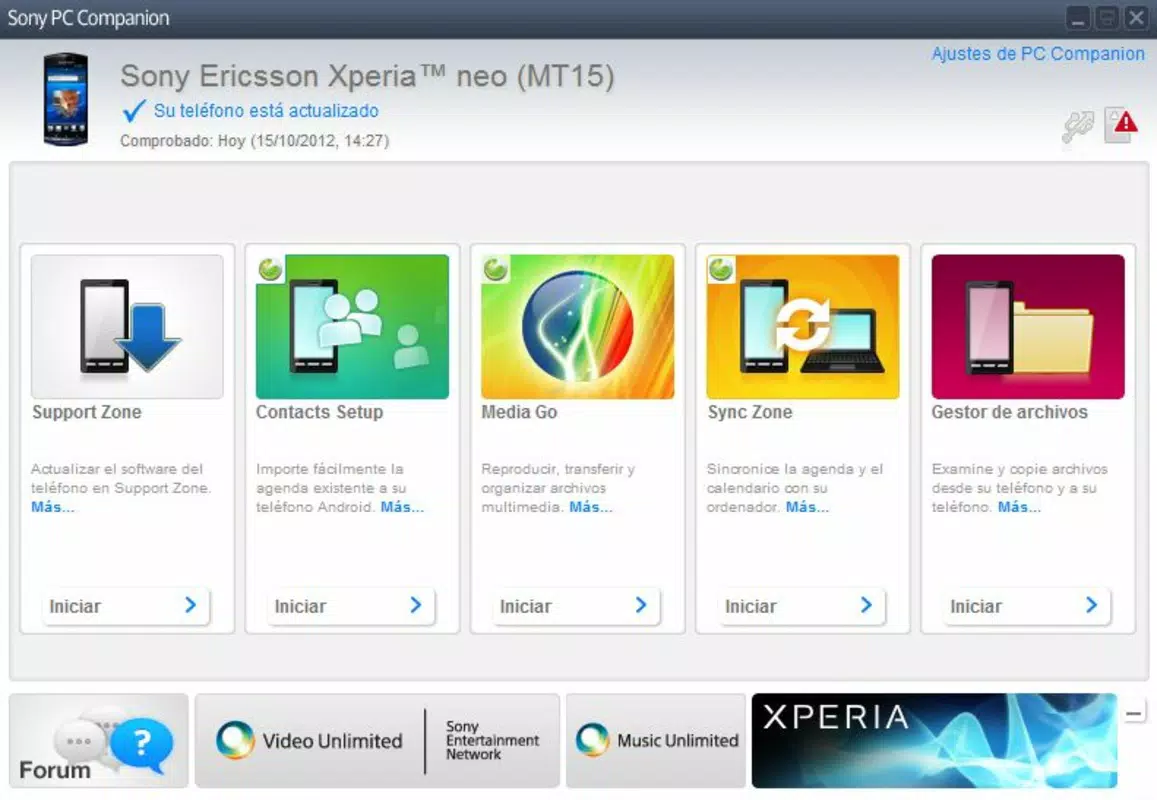
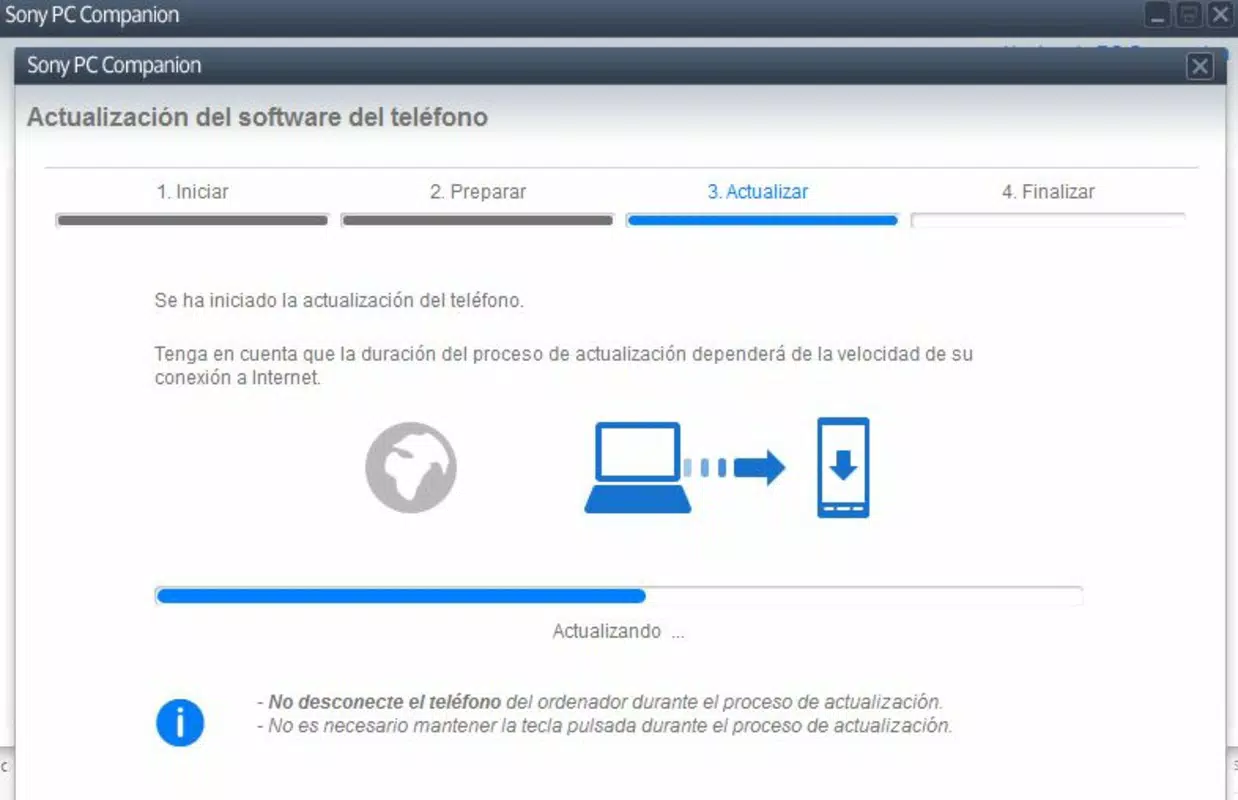
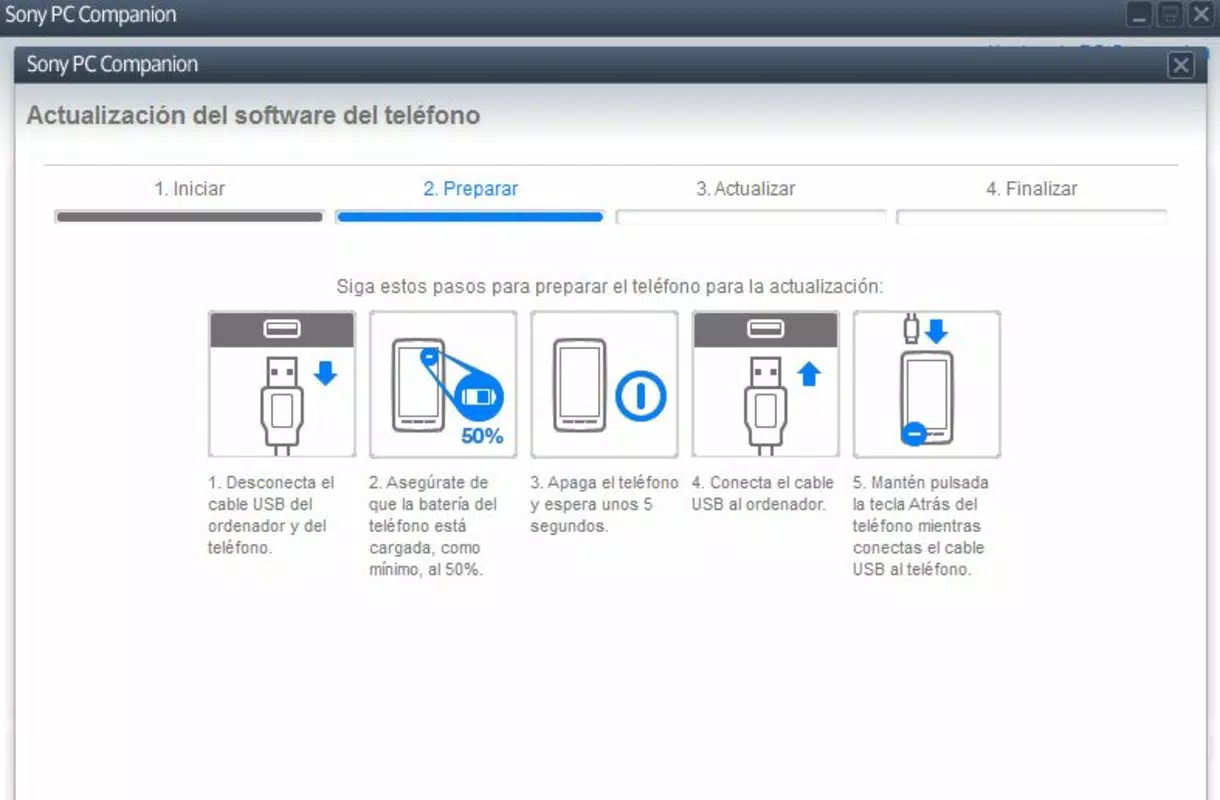
Sony PC Companion delivers a suite of practical tools tailored to the needs of Xperia users. The application enables contact book synchronization, allowing users to keep their phone and PC contact lists in perfect alignment. This feature is especially useful for professionals managing client or team contacts, ensuring that no important information is lost during device transitions. Backup and restore functionality is a core strength, supporting the preservation of contacts, multimedia files, photo galleries, and text messages. Users can create full or selective backups, providing a safety net against accidental deletion, hardware failure, or data loss due to software issues. This functionality is ideal for users preparing to upgrade their device or performing a factory reset. The app simplifies operating system updates by presenting available firmware versions in an accessible interface. With minimal user input, users can initiate and complete updates, ensuring their device runs the latest stable software. This helps maintain security, performance, and compatibility with new apps and services. Additional tools enhance the overall user experience, including device diagnostics, file transfer options, and system health checks. The user-friendly interface ensures that even novice users can navigate these functions without confusion. Together, these features create a comprehensive management solution that reduces dependency on third-party tools.- Contact book synchronization for consistent contact data
- Full and selective backup of contacts, messages, and media
- Streamlined OS update process via desktop interface
- Integrated tools for file transfer, diagnostics, and system checks
- Intuitive layout designed for users of all technical levels
Interface, UX & Performance
Sony PC Companion features a clean, minimalist interface that prioritizes clarity and ease of access. The layout is organized into clearly labeled sections, with icons and navigation menus that guide users through each function. The visual style is consistent with modern Windows applications, using neutral colors and legible typography to reduce visual fatigue during extended use. Navigation is straightforward, with a logical flow from initial device connection to task execution. Users can quickly locate backup, sync, or update options without needing to consult external guides. The app responds promptly to user inputs, with minimal lag during file transfers or update installations. Although the developer did not list formal performance metrics, the application maintains stable operation across a range of Windows configurations. Responsiveness is maintained during data-intensive tasks such as backing up large photo libraries or downloading firmware updates. The app does not exhibit crashes or freezes under normal usage conditions. Stability is further supported by its lightweight footprint—only 34.9 MB in size—indicating efficient resource utilization. The user experience is enhanced by clear status indicators and progress bars, which help users monitor ongoing tasks. While the app does not include advanced customization options, its simplicity serves its intended purpose effectively. Overall, Sony PC Companion delivers a reliable and intuitive interface that supports both casual and power users in managing their Xperia devices.Platform Compatibility & Technical Requirements
Sony PC Companion is designed exclusively for the Windows platform, making it compatible with modern Windows operating systems. The current version, 1.2.0, is available for download and installation on Windows devices. The app has a file size of 34.9 MB, which is relatively small and suitable for most users with standard internet speeds. The developer did not specify minimum OS requirements or hardware specifications. Compatibility information was not fully disclosed, so users should ensure their system meets general Windows compatibility standards. While the app is free to download and use, it requires a USB connection to pair with a Sony Xperia device. Specific device compatibility details were not listed, so users should verify that their Xperia model is supported through official Sony documentation. No additional software or drivers are required for basic functionality, though users may need to enable USB debugging on their phone for certain operations. The app does not support macOS or Linux, limiting its availability to Windows users only. Despite this restriction, the app remains a viable option for Sony Xperia owners using Windows PCs.Pros and Cons
- Free to download and use with no hidden costs
- Simple, intuitive interface suitable for all user levels
- Efficient backup and restore of contacts, messages, and media
- Streamlined OS update process via desktop
- Direct synchronization of contact books between PC and phone
- Available only for Windows, limiting cross-platform access
- No official details on supported Xperia models or OS versions
- Requires USB connection for most functions
- Does not support macOS or Linux operating systems
- Limited customization options in the interface


